Choosing warehouse automation is not simply a technology purchase. It is an operational decision affecting people, inventory, space, safety, and customer promises. The right system should fit your actual workflow, not an impressive product demonstration.
So, What Are The Best Solutions For Warehouse Automation? The answer depends on order volume, SKU variety, facility layout, labor availability, and growth expectations. A conveyor may improve carton movement, while autonomous mobile robots can support flexible picking. Automated storage and retrieval systems may deliver excellent density, but they require accurate inventory data and disciplined maintenance. Small mistakes become expensive at scale.
MHI President and CEO John Paxton has said, “Automation is not about replacing people; it is about augmenting people.” This principle deserves attention. A practical solution should reduce repetitive walking, heavy lifting, and avoidable errors while giving employees better tools and clearer workstations. Industry experience also shows that integration matters more than isolated equipment. The warehouse management system, scanners, robots, conveyors, and reporting tools must communicate reliably.
The seven tips in this guide examine process analysis, measurable goals, technology fit, integration, scalability, workforce readiness, and total cost. Watch the details. A robot that pauses beside a crowded picking aisle reveals more than a polished sales presentation. It is tempting to automate everything, but that may be the wrong ambition. A phased pilot, careful testing, and honest performance data usually create a stronger path toward dependable warehouse automation.
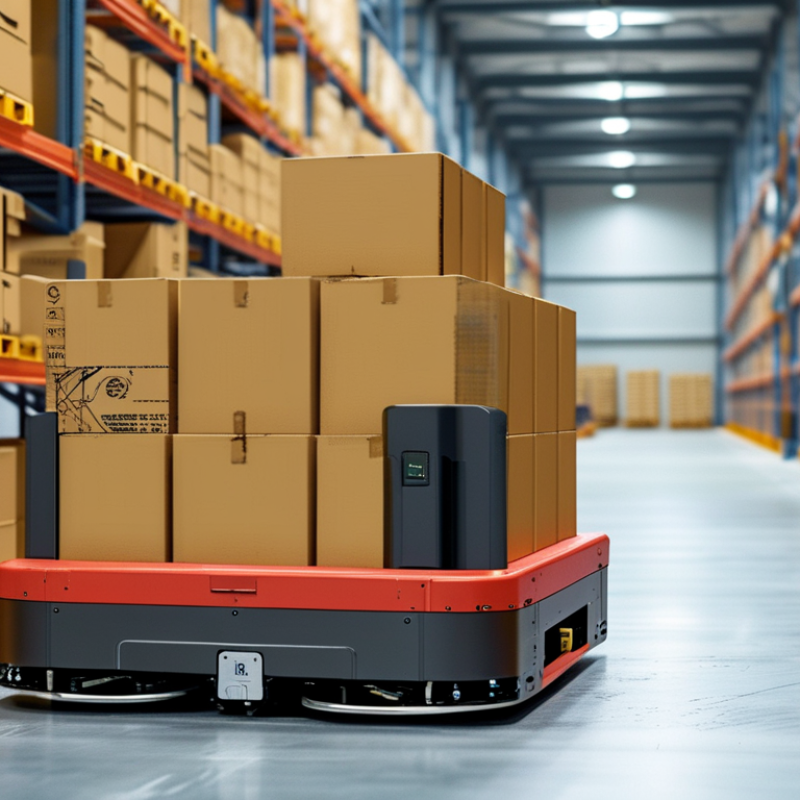
Tip 1: Define the warehouse goal before selecting equipment. Is the priority faster picking, fewer errors, lower labor pressure, or safer movement? MHI’s 2024 Annual Industry Report found that 55% of respondents planned to increase technology investment. Spending alone, however, does not create progress. A clear baseline matters.
Map each process in detail. Record order lines, travel distance, replenishment time, peak-hour volume, and exception rates. Watch an operator pick a real order. The spreadsheet may be wrong. Small delays often hide between receiving, storage, picking, and packing. Use these observations to identify tasks suitable for automation, while keeping human judgment for irregular orders.
Tip 2: Match automation requirements to measurable constraints. Calculate required throughput, available floor space, integration needs, maintenance skills, and future volume. The International Federation of Robotics reported 541,302 industrial robots were installed worldwide in 2023, showing strong automation momentum. Yet high adoption does not guarantee a suitable solution. Test the design with normal, peak, and failure scenarios.
Tip 3: Build a practical pilot plan. Define success metrics, training needs, safety checks, data ownership, and recovery procedures before deployment. Include operators in the review; they understand workarounds that process maps miss. My own reflection is simple: teams often automate the most visible bottleneck, not the most expensive one. Recheck the numbers.
A practical planning framework with measurable warehouse requirements and validation criteria
| Tip | Planning Dimension | Warehouse Goal | Process and Automation Requirement | Recommended Planning Data | Key KPI and Target | Validation Method |
|---|---|---|---|---|---|---|
| 1 | Define service objectives | Align automation with customer service commitments instead of selecting equipment based only on speed or storage density. | Document order cut-off times, order profiles, shipping windows, replenishment rules, and priority orders before selecting a solution. |
Order accuracy requirement: at least 99.5% On-time shipment objective: at least 95% Documented service-level rules: 100% |
Order accuracy: ≥99.5% On-time shipment rate: ≥95% |
Review 6–12 months of order history and compare actual performance with customer service-level agreements. |
| 2 | Map current processes | Identify bottlenecks, unnecessary movement, manual touches, and process variation before automating. | Map receiving, put-away, storage, picking, packing, replenishment, returns, and dispatch as separate process steps. |
Record process time for each step. Measure walking or travel distance. Count manual touches per order line. Capture exception frequency by process. |
Process cycle time reduction: 20–40% Manual touches: reduce by at least 25% |
Use time studies, value-stream mapping, barcode scans, labor observations, and system transaction logs. |
| 3 | Size for real demand and peak periods | Ensure the solution can handle normal demand, seasonal peaks, promotions, and future growth without creating a new bottleneck. | Specify average hourly volume, peak hourly volume, order-line profile, SKU velocity, unit dimensions, weight, and replenishment demand. |
Use at least 12 months of historical data where available. Design peak capacity at 1.3× average peak demand. Separate fast-, medium-, and slow-moving SKUs. |
Peak utilization: preferably below 85% Required capacity headroom: 20–30% |
Run hourly demand simulations using the highest-volume days, seasonal peaks, promotional events, and expected growth. |
| 4 | Match technology to the process | Select the simplest technology that meets throughput, accuracy, storage, product-handling, and labor requirements. | Compare solutions such as automated storage and retrieval, goods-to-person picking, conveyor transport, sortation, robotic movement, and automated packing according to the specific task. |
Define unit-load range: dimensions and weight. Confirm aisle width, ceiling height, floor load, fire protection, and temperature conditions. Record SKU dimensions and container compatibility. |
Required throughput achieved during peak: 100% Pick accuracy target: ≥99.5% Product damage: <1% |
Test representative SKUs and containers, including irregular, fragile, heavy, slow-moving, and exception items. |
| 5 | Verify system integration and data quality | Create one reliable flow of inventory, order, location, and task information across warehouse systems. | Confirm integration with the warehouse management system, warehouse control or execution layer, order systems, shipping systems, scanners, sensors, and reporting tools. |
Inventory record accuracy: ≥98% Transaction synchronization target: under 5 minutes Define API, message, error-handling, and recovery requirements. |
Inventory accuracy: ≥98–99.5% Interface success rate: ≥99.9% Unresolved integration errors: 0 critical errors |
Perform interface testing, inventory reconciliation, error recovery testing, cybersecurity review, and end-to-end order trials. |
| 6 | Plan safety, reliability, and scalability | Protect employees and inventory while maintaining operations during equipment faults, maintenance, demand changes, and future expansion. | Specify guarding, emergency stops, safe access, ergonomic workstations, preventive maintenance, spare parts, manual fallback procedures, and modular expansion capability. |
Target equipment availability: ≥98% Critical spare-parts coverage: 100% Expansion reserve: 15–20% where practical. |
Unplanned downtime: minimize to <2% of scheduled operating time Recordable safety incidents: 0 Preventive-maintenance completion: ≥95% |
Complete a formal risk assessment, safety acceptance test, failure-mode review, maintenance study, and disaster-recovery exercise. |
| 7 | Evaluate total cost and implementation risk | Choose a solution that delivers measurable operational value without exceeding financial, schedule, or change-management limits. | Compare equipment, software, installation, integration, training, maintenance, energy, facility changes, downtime, labor, and replacement costs over the expected life of the system. |
Calculate total cost of ownership over 5–10 years. Include labor savings, capacity gains, error reduction, maintenance, energy, and downtime assumptions. Test low, expected, and high-demand scenarios. |
Business case should meet the organization’s approved payback threshold. Include sensitivity analysis for ±20% demand and labor-cost changes. Implementation milestones achieved: 100% |
Use a documented ROI model, supplier-neutral cost comparison, pilot results, reference-process testing, and a phased implementation plan. |
: Include equipment, integration, software updates, training, energy, spare parts, and downtime. The purchase price is only one piece. Use real order volumes, seasonal peaks, and labor costs. A spreadsheet can still lie. Test one workflow before expanding.
Compare total investment with realistic labor savings, throughput gains, and maintenance costs. Use normal days and peak shifts. Include temporary slowdowns during installation. Do not rely only on vendor forecasts. Recheck the estimate after live orders arrive.
Review emergency stops, guarding, pedestrian alerts, access controls, and operator training. Check whether the system reduces lifting, walking, congestion, and vehicle interaction. Watch it beside a busy loading dock. Quiet demonstrations hide risks. Small blind spots matter.
Confirm sensor accuracy, response times, local repair support, and spare-part availability. Ask how faults are detected and recorded. Review software update procedures and maintenance schedules. Predictive maintenance may reduce downtime, but results vary. Measure your own facility.
Automation should remove physical strain, not move it to another task. Ask employees which work feels unsafe, repetitive, or confusing. Provide training for troubleshooting and exception handling. Some manual workarounds remain necessary. That is not failure.
Ask every vendor to test the same workflow with your cartons, labels, and order patterns. Measure accuracy, travel time, jams, and recovery speed. Document test conditions carefully. Otherwise, comparisons become unreliable. Live trials reveal more.
Set targets for hourly throughput, system availability, order accuracy, repair time, and energy use. Define normal-day and peak-period expectations. Ask who owns the data and reports exceptions. A claimed uptime percentage may exclude planned stops. That changes the business case.
Confirm response windows, technician coverage, spare-parts access, software updates, and staff training. Request references from facilities with similar volumes and shift patterns. Speak with operators, not only managers. Confusing screens can slow recovery. Plan an exit route.
Choosing the right warehouse automation solution begins with clearly defining operational goals, core processes, and specific automation requirements. Businesses should examine current workflows, identify bottlenecks, and determine whether they need support for storage, picking, sorting, transportation, or inventory management. It is also important to compare available technologies for compatibility with existing software, equipment, facility layouts, and data systems. The most effective choice should be scalable and flexible enough to support changing order volumes, new product lines, and future expansion.
When asking, “What Are The Best Solutions For Warehouse Automation,” decision-makers should evaluate the total cost of ownership, safety features, maintenance needs, training requirements, and the solution’s impact on employees. Vendor selection should be based on practical testing, reliable technical support, transparent performance metrics, and measurable improvements in accuracy, productivity, and delivery speed. A carefully planned evaluation helps organizations choose automation that delivers lasting operational value rather than simply adopting technology for its own sake.

 GLS Forklift